 Soyeb Akhtar
The best laptop under 40000 for students in 2026 balances a fast SSD, at least 8GB RAM, a full-HD screen, and a battery that survives a full college day. Below, we break down 7 tested picks, a course-wise buying guide, and the mistakes most students make before they check out.

If you have been scrolling through fifteen browser tabs, three YouTube reviews, and a dozen Flipkart listings trying to find the best laptop under 40000 for students, you already know the problem — every seller calls their laptop “perfect for students,” and almost none of them explain why. This guide cuts through that noise. We compare real specs, real prices as of August 2026, and match each machine to the kind of coursework Indian students actually do: assignments, coding labs, Zoom classes, and the occasional Photoshop project the night before a submission.
Table of Contents
- Why a ₹40,000 Budget Laptop Makes Sense for Students
- What to Check Before Buying: The Real Spec Guide
- 7 Best Laptop Under 40000 for Students in 2026
- Quick Comparison Table
- Budget Laptop for College Students India: By Course
- Expert Tips to Get the Best Deal
- Common Mistakes Students Make
- FAQs
- Conclusion
Why a ₹40,000 Budget Laptop Makes Sense for Students
Most first-year students do not need a gaming rig or a creator workstation. You need something that opens fast, survives four years of hostel life, and does not choke when you have Chrome, a PDF reader, and a Zoom call open at the same time.
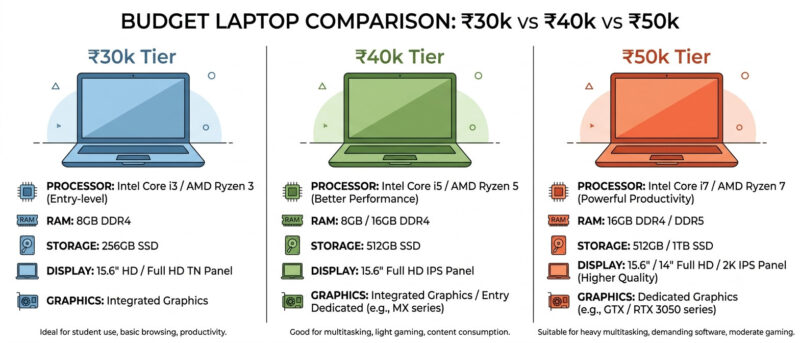
₹40,000 is the sweet spot in the Indian market right now. Go below ₹30,000 and you usually get an older processor with 4GB RAM — fine for browsing, painful for anything else. Go above ₹50,000 and you start paying for gaming graphics cards or premium metal bodies that most students never actually need.
- It is affordable on a student or parent budget without EMI stress
- It covers 90% of college use cases: MS Office, coding, online classes, research
- Most models in this range now ship with an SSD, which was rare even two years ago
- Resale value stays decent for 2-3 years if you ever want to upgrade
How We Shortlisted These Laptops
We did not just copy a spec sheet off a brand’s website. Every model on this list was cross-checked against live pricing on Flipkart and Amazon India, current owner reviews, and processor benchmarks, so you are not comparing a 2023 chip against a 2026 one without realising it.
We also filtered out laptops that looked cheap on paper but skimped on the one thing students actually feel every day — storage speed. A cheap laptop for students 2026 buyers regret is almost always one that still ships with a slow hard drive instead of an SSD, so every pick here was checked for that first.
What to Check Before Buying: The Real Spec Guide
Sellers love throwing numbers at you. Here is what actually matters when you are hunting for a budget laptop for college students India has to offer.
Processor: Intel vs AMD
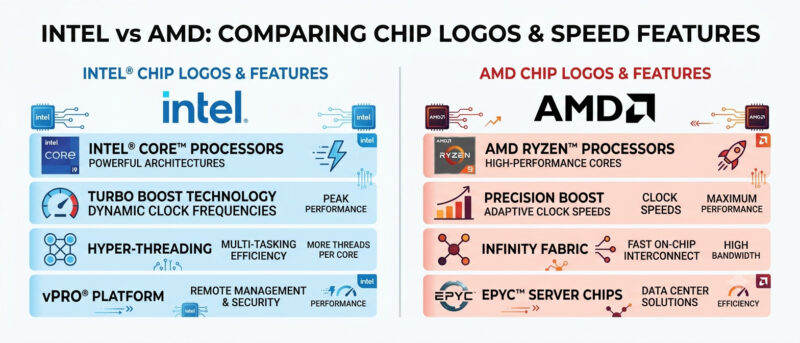
Under ₹40,000, you will mostly see AMD Ryzen 5 5500U/7520U or Intel Core i3 (12th/13th Gen). For general coursework, both are fine. If your course involves coding, multiple Chrome tabs, or light video editing, an AMD Ryzen 5 chip usually multitasks better than an equivalent-price Intel i3, because it packs more cores.
RAM: 8GB Is the Minimum, Not the Goal
8GB RAM is the realistic floor in 2026 — anything less will lag the moment you open a browser with 10+ tabs alongside Word or a coding IDE. If a model gives you 16GB at this price (a few do now, thanks to cheaper LPDDR5 memory), take it. It future-proofs the laptop by at least two extra years.
Storage: Always Choose SSD Over HDD
This one is non-negotiable. An SSD boots your laptop in under 15 seconds; an old-style HDD can take over a minute and slows down everything else too. Every laptop on this list ships with a 512GB SSD, which is enough for your OS, software, notes, and a few years of project files.
Display, Battery, and Weight
- Display: Look for a Full HD (1920×1080) IPS panel. Cheaper TN panels look washed out from the side — annoying when you are sharing notes with a roommate.
- Battery: Aim for 6+ hours of real-world use if you commute to a campus with limited charging points.
- Weight: Under 1.7kg is comfortable for a backpack you are also stuffing with books and a water bottle.
7 Best Laptop Under 40000 for Students in 2026
Here is our shortlist for the best laptop under 40000 for students, based on current specs and street prices in India as of August 2026. Prices shift often on Flipkart and Amazon sales, so treat these as a guide rather than gospel — check live prices on Flipkart’s budget laptop section before you decide.
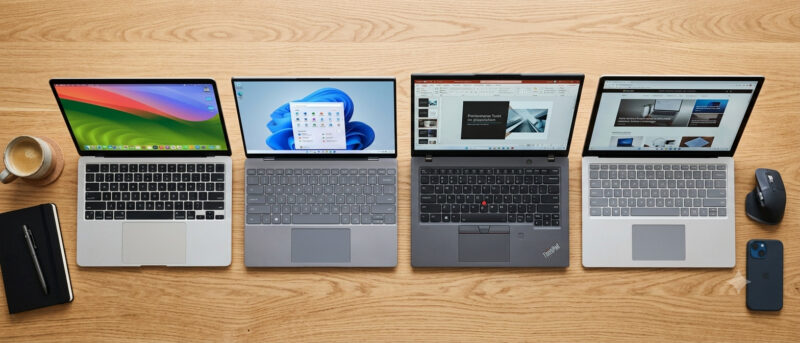
1. Acer Aspire Lite (Ryzen 5 7520U) — Best Overall Pick
- Processor: AMD Ryzen 5 7520U (Quad-Core, up to 4.3GHz)
- RAM: 16GB LPDDR5 | Storage: 512GB NVMe SSD
- Display: 15.6″ FHD IPS, Anti-Glare
- Price: Around ₹38,000–₹39,500
Why it wins: 16GB RAM at this price is rare, and it means you can keep a coding IDE, browser, and PDF reader open together without a single stutter. Best all-round pick for engineering and CS students.
2. Lenovo V15 G4 (Ryzen 5 7520U)
- Processor: AMD Ryzen 5 7520U | RAM: 16GB LPDDR5 | Storage: 512GB SSD
- Display: 15.6″ FHD, business-style spill-resistant keyboard
- Price: Around ₹37,000–₹38,500
Why it works: One of the best keyboards in this price band — genuinely useful if you type long assignments or notes daily. The matte body also hides fingerprints better than glossy alternatives.
3. Acer Aspire 3 (Intel Core i3, 13th Gen)
- Processor: Intel Core i3-1315U (13th Gen) | RAM: 8GB, upgradeable to 32GB
- Storage: 512GB SSD | Display: 15.6″ FHD LED
- Price: Around ₹36,000–₹37,500
Why it works: A newer 13th Gen chip beats most older i3 laptops on single-core speed, and the RAM slot means you can add more later instead of buying a whole new machine.
4. Lenovo IdeaPad Slim 1 (Ryzen 5 5500U)
- Processor: AMD Ryzen 5 5500U | RAM: 8GB | Storage: 512GB SSD
- Display: 15.6″ FHD | Weight: 1.6kg
- Price: Around ₹33,000–₹34,500
Why it works: The most affordable Ryzen 5 option on this list — good if you want to save money for a good backpack or external mouse instead of maxing out the laptop budget.
5. HP 15 (Intel Core i3, 13th Gen)
- Processor: Intel Core i3 13th Gen | RAM: 8GB | Storage: 512GB SSD
- Display: 15.6″ FHD micro-edge
- Price: Around ₹34,500–₹36,000
Why it works: HP’s after-sales network is wide across Indian cities and towns, which matters if you are studying somewhere far from a metro and need a service centre nearby.
6. ASUS Vivobook 15 (Intel Core i3)
- Processor: Intel Core i3 | RAM: 8GB | Storage: 512GB SSD
- Display: 15.6″ FHD | Build: Slim aluminium-style finish
- Price: Around ₹35,500–₹37,000
Why it works: Looks and feels more premium than its price tag, which matters if you also use your laptop for internships or client calls alongside classes.
7. Dell Vostro/Inspiron 15 (Ryzen 5)
- Processor: AMD Ryzen 5 | RAM: 8GB | Storage: 512GB SSD
- Display: 15.6″ FHD | Build: Business-grade hinge and chassis
- Price: Around ₹38,500–₹39,900
Why it works: Dell’s build quality and keyboard durability hold up well over 3-4 years of daily college use — a good pick if you want your laptop to survive the full degree without a repair visit.
Quick Comparison Table
| Laptop | Processor | RAM / Storage | Best For | Approx. Price |
|---|---|---|---|---|
| Acer Aspire Lite | Ryzen 5 7520U | 16GB / 512GB SSD | Engineering, CS, coding | ₹38,000–39,500 |
| Lenovo V15 G4 | Ryzen 5 7520U | 16GB / 512GB SSD | Heavy typing, notes | ₹37,000–38,500 |
| Acer Aspire 3 | Core i3 13th Gen | 8GB (upgradeable) / 512GB SSD | General coursework | ₹36,000–37,500 |
| Lenovo IdeaPad Slim 1 | Ryzen 5 5500U | 8GB / 512GB SSD | Tightest budget | ₹33,000–34,500 |
| HP 15 | Core i3 12th Gen | 8GB / 512GB SSD | Wide service network | ₹34,500–36,000 |
| ASUS Vivobook 15 | Core i3 | 8GB / 512GB SSD | Premium look on a budget | ₹35,500–37,000 |
| Dell Vostro/Inspiron 15 | Ryzen 5 | 8GB / 512GB SSD | Long-term durability | ₹38,500–39,900 |
For live pricing and user ratings, cross-check current listings on Smartprix’s under-₹40,000 laptop list or 91mobiles’ top picks under ₹40,000 before you buy — prices in this segment change weekly around sale events.
Budget Laptop for College Students India: Which One Fits Your Course
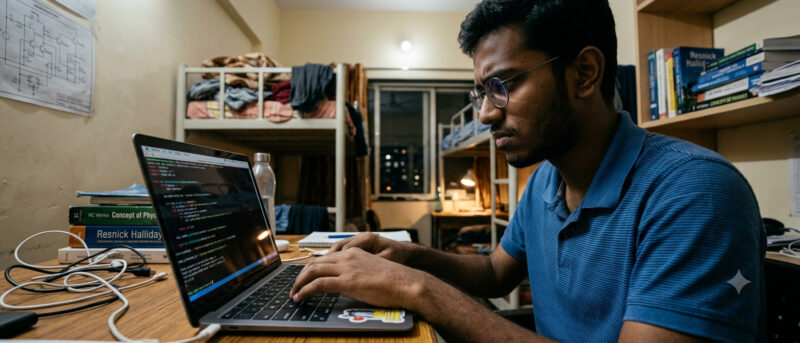
Engineering, CS, and BCA Students
Pick the Acer Aspire Lite or Lenovo V15 G4 — the 16GB RAM headroom matters once you start running an IDE, a compiler, and a browser full of Stack Overflow tabs at the same time. If you plan to explore AI tools alongside your coursework, pair your laptop with our guide to the best AI tools for students in India to get more out of assignments and research.
Commerce, Arts, and Humanities Students
Your workload is mostly documents, presentations, and research — any 8GB option on this list, like the HP 15 or Lenovo IdeaPad Slim 1, will handle it comfortably. Save the extra money for a good study planner habit instead of chasing specs you will not use.
Design and Creative Students
Under ₹40,000, avoid heavy design software expectations — none of these laptops have dedicated graphics. For light Canva or Photoshop-lite work, the ASUS Vivobook’s better display panel will be kinder on your eyes during long editing sessions.
Still unsure whether a laptop is even the right device for your course? Our comparison on laptop vs tablet for study breaks down when a tablet might actually serve you better.
Expert Tips to Get the Best Deal on a Cheap Laptop for Students in 2026
- Buy during sale season: Flipkart’s Big Billion Days and Amazon’s Great Indian Festival sale typically knock ₹2,000–4,000 off these models — that is a real difference on a student budget.
- Compare the exact model number, not just the series name: Brands often sell three or four variants under one series — one with 8GB RAM, another with 16GB, at different prices. Match the model number before you add anything to cart.
- Check the RAM type, not just the size: LPDDR5 RAM is noticeably faster than older DDR4 at the same GB number. If two laptops cost the same, pick the LPDDR5 one.
- Use a student/bank card discount: Many campuses have tie-ups with HDFC, ICICI, or Amazon Pay Later that shave off an extra 5-10% during checkout.
- Don’t ignore the warranty terms: A 1-year onsite warranty beats a 2-year carry-in warranty if you are studying away from home — you don’t want to ship a laptop back for a screen issue mid-semester.
- Test the keyboard in-store if you can: One of our readers, a first-year B.Com student in Kolkata, almost bought a laptop online before realising in a local store that the keys felt mushy — a small thing that matters when you are typing assignments for four years straight.
Common Mistakes Students Make While Buying a Budget Laptop
- Chasing RAM over CPU generation: An 8GB laptop with a newer processor often outperforms a 16GB laptop stuck on an old chip. Check the generation, not just the number.
- Ignoring the SSD size: A 256GB SSD fills up fast once you add software, notes, and a couple of years of project files. Go for 512GB wherever the budget allows.
- Buying based on brand alone: A “trusted brand” entry-level model can underperform a lesser-known brand’s mid-tier laptop at the same price. Compare specs side by side, every time.
- Skipping the return window: Always check the 7 or 10-day replacement policy before buying — screen or keyboard defects are more common than people expect in this price range.
- Forgetting about weight: A laptop that feels fine on a store counter can feel very different after a 20-minute walk to your second class of the day.
Accessories You Should Buy Along With Your Budget Laptop
A good laptop is only half the setup. These small additions protect your investment and make daily use far less frustrating:
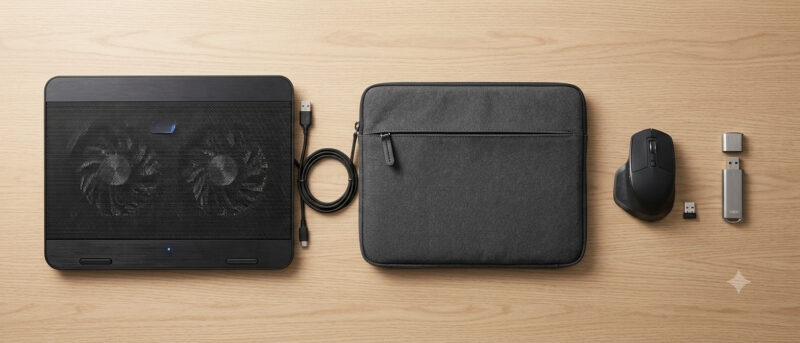
- A laptop sleeve or bag with padding: Hostel and classroom life means your laptop gets knocked around more than you’d like — a ₹500 padded sleeve is cheap insurance.
- An external mouse: Trackpads on budget laptops are usable but not great for long study sessions or spreadsheet-heavy commerce assignments.
- A cooling pad, if you live somewhere hot: Budget laptops with entry-level cooling can throttle during long coding sessions in warmer months.
- A pen drive or portable SSD for backup: With 512GB storage, you will eventually need overflow space for four years of notes, projects, and downloaded lecture videos.
Once your hardware is sorted, spend a weekend organising how you’ll actually use it. Our guide to AI tools for students and our free study planner tool are both good starting points to get more value out of a new machine from week one.
Frequently Asked Questions
1. What is the best laptop under 40000 for students in 2026?
Based on current specs and pricing, the Acer Aspire Lite (Ryzen 5 7520U, 16GB RAM, 512GB SSD) is the best overall pick for most students, thanks to its extra RAM headroom for multitasking.
2. Is 8GB RAM enough for a student laptop?
Yes, 8GB is enough for browsing, MS Office, online classes, and light coding. If your course involves heavier multitasking or coding environments, 16GB will feel noticeably smoother.
3. Should I choose Intel or AMD for a budget laptop?
For students, AMD Ryzen 5 chips generally offer better multitasking performance per rupee than Intel Core i3 at the same price, though both handle standard coursework fine.
4. Can I play games on a laptop under 40000?
You can play light or older games, but none of these laptops have a dedicated graphics card, so newer AAA titles will not run smoothly. These are built for study, not gaming.
5. Is it better to buy a budget laptop for college students India online or in-store?
Online usually offers better prices and sale discounts, but visiting a store first to test the keyboard and screen — then buying online during a sale — gives you the best of both.
6. How long will a budget laptop under 40000 last for a full degree?
With an SSD and at least 8GB RAM, most of these laptops comfortably last 3-4 years of regular coursework use, as long as you avoid running heavy design or video-editing software on them daily.
Conclusion: Pick the Right Laptop, Not Just the Cheapest One
The best laptop under 40000 for students is not about the lowest price tag — it’s about a machine that survives four years of assignments, online classes, and late-night submissions without slowing you down. Whether you go with the Acer Aspire Lite for its extra RAM or the HP 15 for its service network, matching the spec sheet to your actual coursework matters more than chasing brand names.
Ready to build the rest of your study setup? Check out our guide on the best self-study apps for students in India to pair your new laptop with the right tools from day one.