
 Soyeb Akhtar
1. Why This Decision Matters More Than You Think
Every year, millions of Indian students — from Class 11 droppers preparing for JEE to first-year college students entering B.Tech or BBA — spend between ₹20,000 and ₹80,000 on a study device. That is not a small amount. And yet, a large number of them buy the wrong device for their actual needs.
Some students buy a tablet because it looks cool, only to realise six months later that their college’s submission portal does not work properly on a mobile browser. Others buy a heavy laptop for “everything” and end up carrying dead weight between hostel and campus every day.
The question — which is best for study, laptop or tablet — does not have a one-size-fits-all answer. But it does have a correct answer for you, based on your course type, budget, and how you actually study.
This guide will help you figure that out — clearly, honestly, and without unnecessary jargon.
“The best study device is the one that fits your workflow — not the one with the most features or the highest price tag.”
2. Laptop vs Tablet: The Core Differences
Before comparing them for study, let us be clear about what each device actually is.
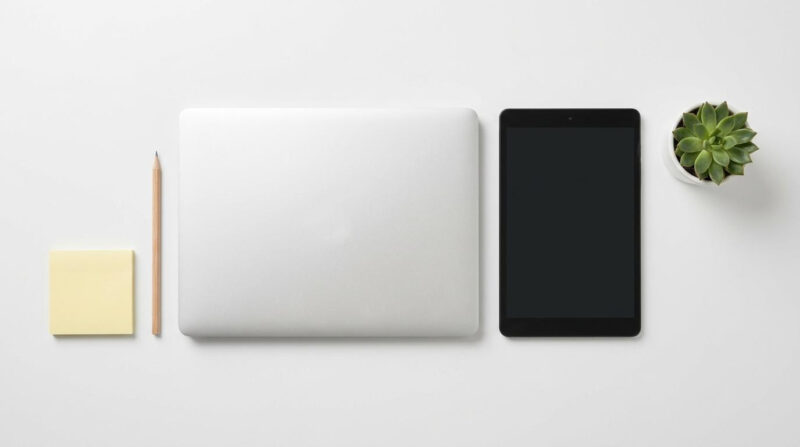
A laptop is a portable personal computer with a physical keyboard, trackpad, full operating system (Windows or macOS), and the ability to run complex software. It is designed for productivity — writing, coding, editing, researching, multitasking.
A tablet is a touch-first portable device running a mobile OS (Android or iPadOS). It is optimised for content consumption — reading, watching, annotating, and light note-taking. With a keyboard case or stylus, it can push into productivity territory, but it has inherent limitations.
3. Head-to-Head Comparison: Which is Best for Study — Laptop or Tablet?
Let us go through every major factor students actually care about, one by one.
| Factor | 💻 Laptop | 📱 Tablet | Winner |
|---|---|---|---|
| Performance | Runs heavy software, multitasking, IDEs | Good for light tasks, not heavy apps | Laptop ✅ |
| Portability | 1.2–2 kg, bulkier | 300–700 g, ultra-portable | Tablet ✅ |
| Battery Life | 5–9 hours (typical) | 8–14 hours (typical) | Tablet ✅ |
| Typing & Writing | Built-in keyboard, ideal for long typing | On-screen keyboard — tiring; needs accessory | Laptop ✅ |
| Note-Taking (Handwriting) | Not possible without stylus add-on | Stylus support — excellent for handwritten notes | Tablet ✅ |
| Software Access | Full Windows/Mac apps (MS Office, IDEs, etc.) | Mobile apps only — limited desktop features | Laptop ✅ |
| Multitasking | Multiple windows, easy drag-and-drop | Limited split-screen | Laptop ✅ |
| Reading & PDFs | Good, but screen glare possible | Excellent — lightweight, touch-to-scroll | Tablet ✅ |
| Connectivity / Ports | USB, HDMI, SD card, headphone jack | USB-C only; adapters needed | Laptop ✅ |
| Price (India) | ₹28,000–₹80,000+ | ₹12,000–₹60,000+ | Tablet ✅ (entry) |
| Durability | Prone to hinge wear; screen cracks less common | Drop-prone screen; cases recommended | Laptop ✅ |
| Distraction Management | Easy to get distracted with full browser | App-based — easier to stay focused | Tablet ✅ |
Performance & Multitasking
When you are preparing for an exam and you need to have your PDF open, a YouTube lecture running in one window, and your notes app on the side — a laptop handles all of this without a sweat. A tablet will struggle to do all three simultaneously in a smooth way.
For students in computer science, engineering, or data science, this is non-negotiable. Software like VS Code, MATLAB, AutoCAD, or even advanced Excel simply does not run well — or at all — on a tablet’s mobile operating system.
Portability & Battery Life
This is where tablets genuinely shine. If you are moving between multiple lecture halls, commuting on a bus or local train, or studying in the library with no power socket nearby, a tablet is far more convenient.
Most budget tablets offer 10–12 hours of screen-on time. Compare that to a mid-range laptop which gives you 5–7 hours realistically under study workloads. For a full college day without charging, that matters.
Note-Taking & Writing
Here is something most comparison articles miss: the type of note-taking matters enormously.
If you are a student who prefers typing notes — summaries, essay drafts, lecture transcripts — a laptop is clearly better. The physical keyboard makes sustained typing fast and comfortable.
But if you are someone who learns better by writing by hand — and research consistently backs that up for retention — then a tablet with a stylus becomes a genuinely powerful study tool. Apps like Noteshelf or Microsoft OneNote let you annotate PDFs, draw diagrams, and organise handwritten notes digitally.
4. When You Should Choose a Laptop for Study
Choose a laptop without hesitation if any of the following apply to you:
- You are studying engineering, computer science, or architecture — courses that require heavy software
- You regularly write long assignments, reports, or research papers (1,000+ words at a time)
- Your college uses platforms like Canvas, Moodle, or G Suite that work best on a full browser
- You need to code — Python, Java, C++, HTML/CSS — any language really
- You are preparing for UPSC and need to type long answers during mock tests
- You need to do video editing, graphic design, or data analysis for your course projects
- You want a device that will last you all 4 years of your degree without becoming obsolete
💻 Best Laptop Use Cases
- B.Tech / B.E. students
- BCA / MCA (coding-heavy)
- UPSC aspirants (long typing)
- MBA students (Excel, PPT)
- Content creators (editing)
- Freelancers who also study
📱 Best Tablet Use Cases
- Medical students (annotate PDFs)
- Arts & Humanities students
- Class 11–12 board prep
- JEE/NEET (diagram-heavy notes)
- Students who travel daily
- Reading-heavy courses (LLB, BA)

5. When You Should Choose a Tablet for Study
A tablet makes total sense — and can actually be the smarter choice — if:
- Your course is reading and lecture-heavy rather than software-heavy
- You already have a desktop or family computer at home for heavy tasks
- You travel a lot and need something that fits easily in a small bag or sling bag
- You are a student who prefers to draw diagrams, annotate, and write by hand
- You are preparing for JEE or NEET and want to annotate NCERT PDFs and PW/Unacademy lecture slides
- You are on a tight budget and need something below ₹20,000
- You want a dedicated, focused device with fewer distractions than a full laptop
Many NEET toppers and JEE aspirants from coaching institutes in Kota and Hyderabad swear by tablets for their daily revision. The ability to load a PDF, write directly on it with a stylus, and flip between topics quickly — without the laptop boot-up time or the temptation of Chrome — is genuinely valuable.
If you want to build a distraction-free study environment overall, also check out our guide on 15 Study Room Design Ideas for Students — the device is only one part of the setup.

6. The Middle Ground: Should You Consider a 2-in-1 Laptop?
If you genuinely need both — full laptop power and tablet portability — a 2-in-1 convertible laptop might be worth considering.
These devices have a touchscreen that folds 360° or a detachable keyboard, letting you use them as both a laptop and a tablet. Popular options in India include:
- Lenovo IdeaPad Flex 5 — ₹52,000–₹62,000 — solid mid-range 2-in-1
- HP Envy x360 — ₹70,000–₹80,000 — premium build with stylus support
- ASUS Vivobook Flip 14 — ₹48,000–₹58,000 — budget-friendly convertible
The caveat: as HP’s own comparison guide points out, 2-in-1s are heavier and pricier than either a pure tablet or an entry-level laptop. They are a great option if your budget allows — but if you are choosing between a good laptop and a 2-in-1, the extra money often buys you more RAM and storage on the laptop side, which matters more for day-to-day performance.
7. Indian Student Budget Guide: What You Get at Each Price Point
📱 Tablets — Price vs Value in India (2026)
| Budget | What You Get | Best For |
|---|---|---|
| ₹12,000–₹18,000 | Redmi Pad 2, Realme Pad — 4GB RAM, 64GB storage, basic Android | Reading PDFs, watching lectures, Class 11–12 |
| ₹18,000–₹35,000 | Samsung Galaxy Tab A9+, Xiaomi Pad 6 — better display, smooth performance | Note-taking, annotation, college students |
| ₹35,000–₹60,000 | Samsung Galaxy Tab S9 FE, OnePlus Pad 2 — AMOLED, stylus support | Power users, medical students, creators |
| ₹60,000+ | Apple iPad Air / iPad Pro — best-in-class performance | Premium note-taking, design students |
💻 Laptops — Price vs Value in India (2026)
| Budget | What You Get | Best For |
|---|---|---|
| ₹28,000–₹38,000 | Lenovo IdeaPad Slim 3, HP 15s — 8GB RAM, 512GB SSD, Intel i3/Ryzen 5 | Arts, Commerce, basic coding, daily college use |
| ₹38,000–₹55,000 | ASUS VivoBook 15, Acer Aspire 5 — 16GB RAM, dedicated GPU option | Engineering, data science, mid-range everything |
| ₹55,000–₹80,000 | HP Pavilion, Dell Inspiron 15 — premium build, faster processors | Power users, video editing, advanced coding |
| ₹80,000+ | MacBook Air M3, Dell XPS 13 — top-tier performance, long life | Design students, developers, heavy multitaskers |
Also, if you are setting up your full study space, a good chair matters as much as your device. Read our guide on the Best Study Chair for Students Below ₹500 in India to set up a comfortable, budget-friendly desk.
8. Expert Tips Before You Buy
Many colleges and universities specify which devices are supported on their learning management systems. Before buying, ask seniors or check your college website. Some LMS platforms simply do not work well on mobile browsers. Buying the wrong device can cost you submissions.
For a laptop, always prioritise RAM over storage. 8GB RAM minimum in 2026 — 16GB if you can stretch the budget. You can always use cloud storage (Google Drive, OneDrive) or an external hard drive. But you cannot upgrade RAM in most budget laptops after purchase.
Many mid-range tablets do not include a stylus in the box. The Samsung S Pen, Apple Pencil, or even third-party Xiaomi styluses are sold separately. Factor this cost into your total budget. A tablet without a stylus for note-taking is like buying a notebook with no pen.
If you already have a decent Android smartphone (6.5″ screen or above), you do not necessarily need a tablet. Your phone can handle PDF reading, short video lectures, and note apps. Spending that ₹15,000–₹25,000 upgrading your laptop’s RAM or getting a better keyboard makes more sense.
Manufacturer battery claims are always measured under ideal conditions — low brightness, no Wi-Fi, nothing playing. In a real study session with streaming, typing, and multiple tabs open, expect 30–40% less than the claimed figure. Check user reviews specifically mentioning “study use” or “college use” before buying.
Pairing the right device with the right study techniques also matters a great deal. The Pomodoro Technique for studying works brilliantly whether you’re on a laptop or a tablet — timed focus sessions mean your device’s battery lasts longer too.
9. Common Mistakes Students Make When Buying a Study Device

Just because your friend has an iPad does not mean it will work for your engineering course. Always start with your requirements, then match the device to them.
In India, service centre availability matters. If your laptop or tablet breaks down during exam season, a brand with no service centre in your city is a nightmare. Lenovo, HP, Samsung, and Dell have wide service networks. Check before you buy.
Not all apps your college or coaching institute uses are available on Android or iPadOS. Always check whether your specific apps — your college’s ERP, your exam platform, your lab software — have a working tablet version.
Reading on a 8-inch tablet for 3–4 hours is uncomfortable. Eyestrain is real. If your course involves heavy reading, aim for at least a 10–11 inch tablet — or use a laptop with a 14–15 inch screen.
A tablet’s base price does not include the keyboard case (₹2,000–₹8,000), stylus (₹1,500–₹12,000), protective cover (₹500–₹2,000), and screen guard (₹200–₹800). The “affordable” tablet can quickly become more expensive than a mid-range laptop when you add everything up.
Stress around such big decisions is real. If exam season is adding to that pressure, our guide on How to Reduce Stress During Exams has 12 proven, actionable tips worth reading right now.
10. Frequently Asked Questions (FAQs)
Q1. Which is best for study — laptop or tablet?
Q2. Can I use a tablet instead of a laptop for college?
Q3. Which is better for online classes — laptop or tablet?
Q4. What is a good budget laptop for students in India in 2026?
Q5. Is a tablet good for handwritten digital notes?
11. Conclusion & Final Verdict
So — which is best for study, laptop or tablet? Here is the honest, no-fluff verdict:
Choose a laptop if you are a college student in a technical course, need to write long documents, run complex software, or want a single device that handles everything for the next 4–5 years. A mid-range laptop at ₹35,000–₹50,000 will serve you far better than any tablet in the same range.
Choose a tablet if you are in a reading or lecture-heavy course, love handwritten notes with a stylus, travel a lot between classes, or need a secondary device to complement your home desktop. A good 10-inch Android tablet with a stylus in the ₹20,000–₹30,000 range is a genuinely smart investment in that case.
Consider a 2-in-1 only if your budget comfortably allows it and you genuinely need both modes regularly. Otherwise, do not compromise — pick the one that fits your main use case perfectly.
At the end of the day, the best study device is the one that removes friction from your study routine — not the one that adds to it. Use it well, pair it with the right study apps and tools, and you will see the difference in your results.
📚 Level Up Your Full Study Setup
Your device is just one piece of the puzzle. Explore more student guides on Learnox — all free, all made for Indian students.


1 thought on “which is best for study laptop or tablet 2026 ?”